Registering & Paying
Find a competition, register for the right categories, and submit your payment.
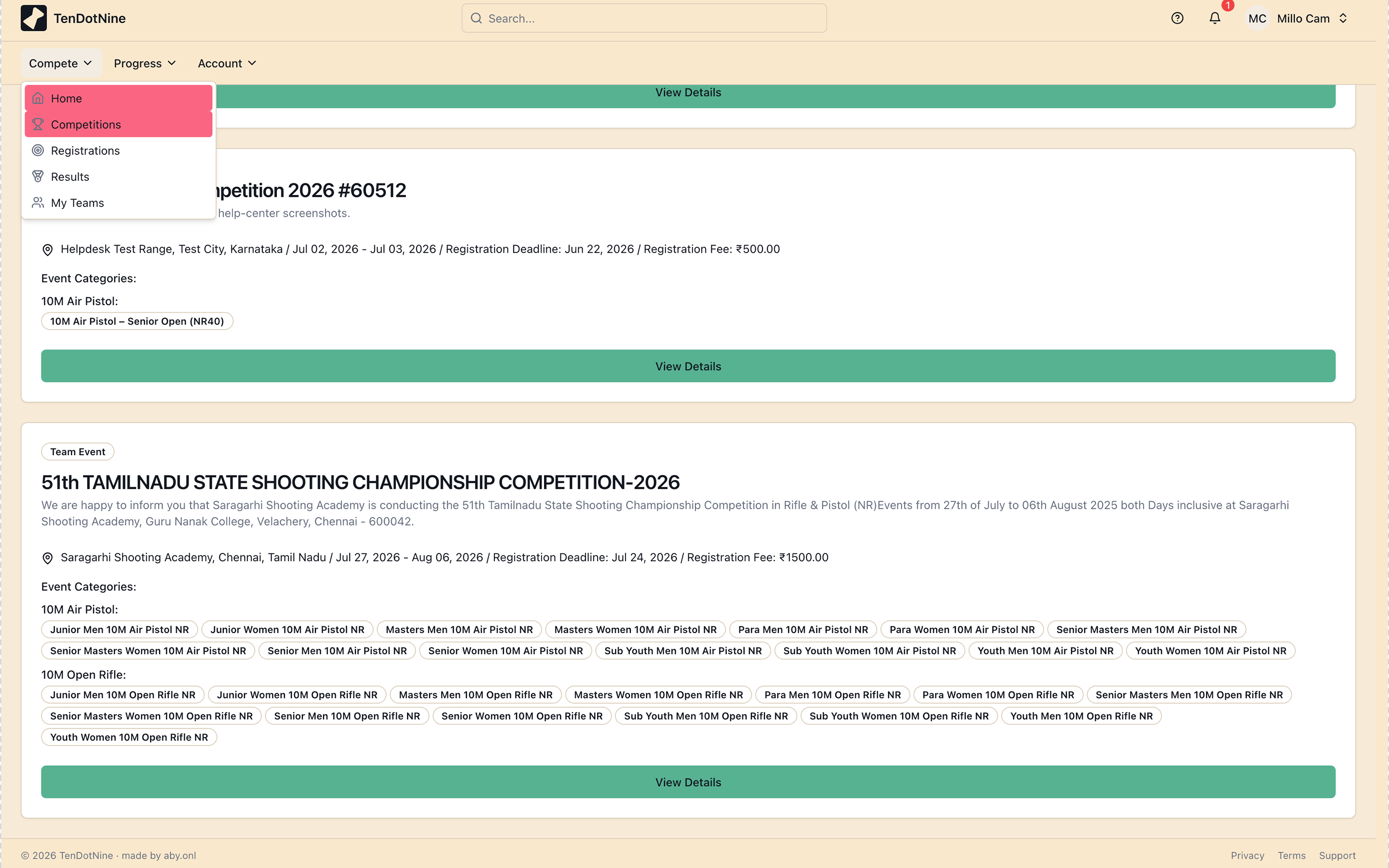
Find a competition
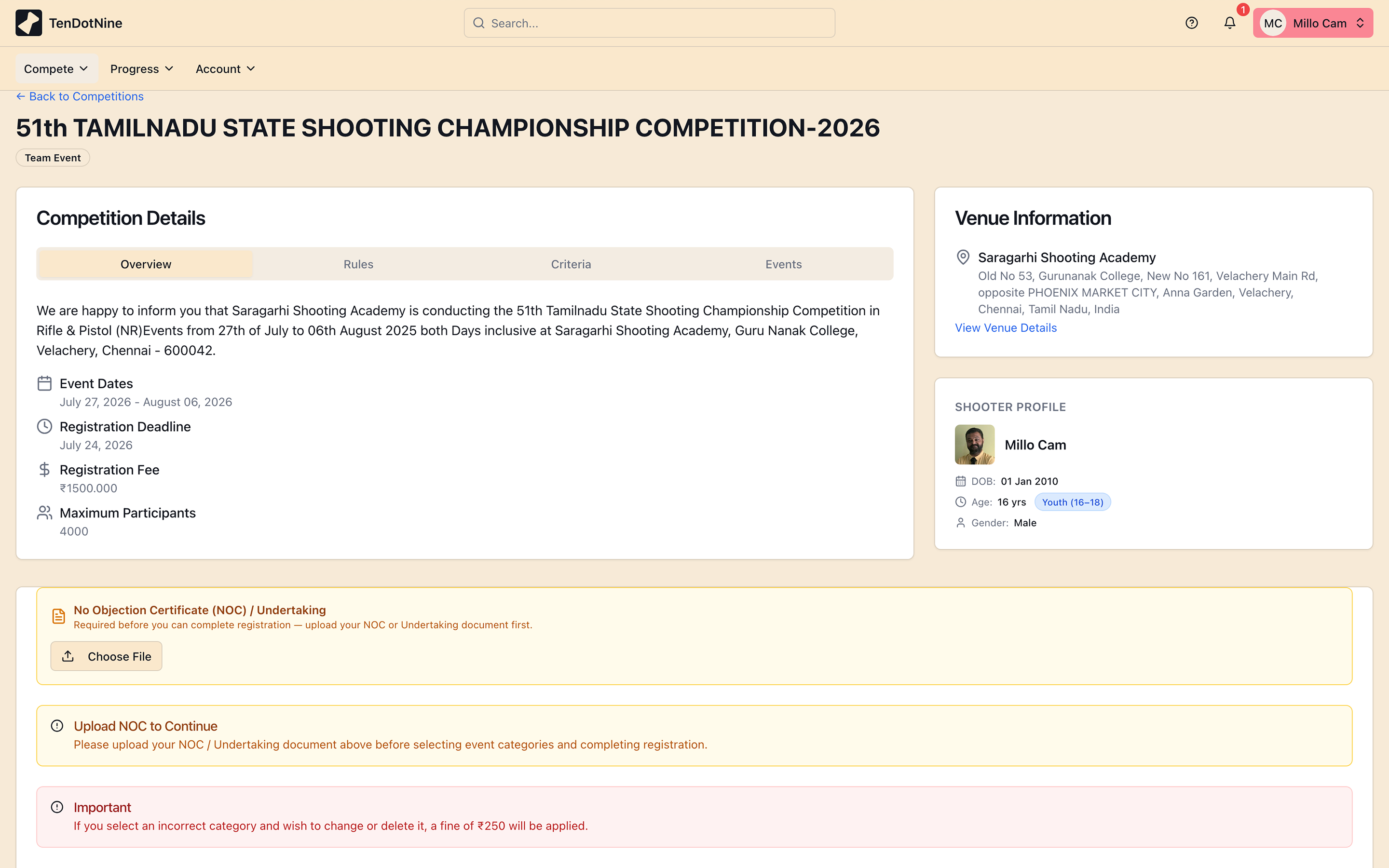
How age eligibility works
Tips
- Age for Sub-Youth/Youth/Junior eligibility is always calculated to 31 December — not the date you register or the competition end date.
- Masters shooters must have already completed the required age by the day *before* competition ends.
- A 10-year-old can enter Air Weapon Sub-Youth events; Firearm Sub-Youth requires age 12.
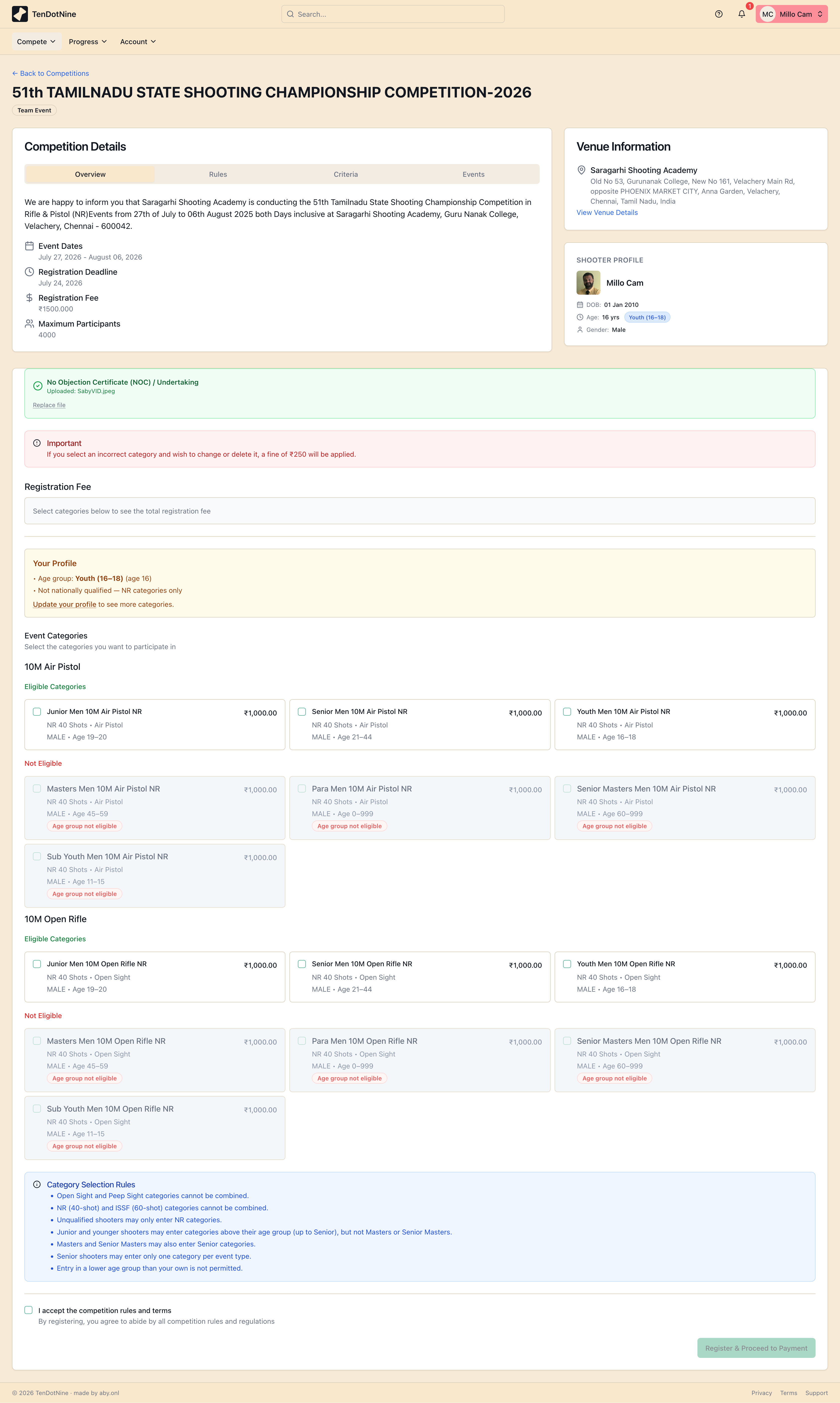
Register & choose categories
Tips
- If a category is greyed out, hover over it to see why you're not eligible (age, gender, or event type).
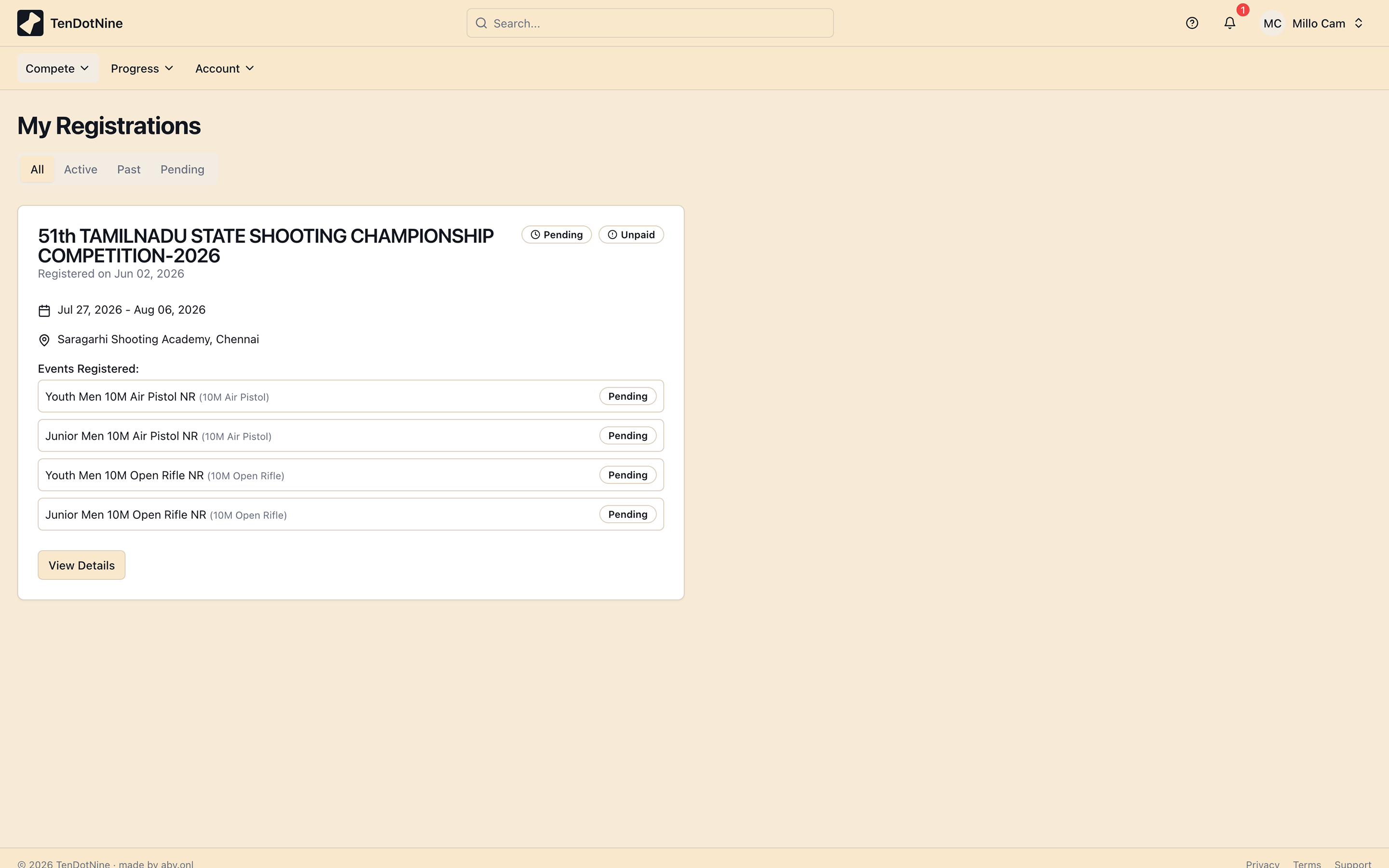
Submit your payment
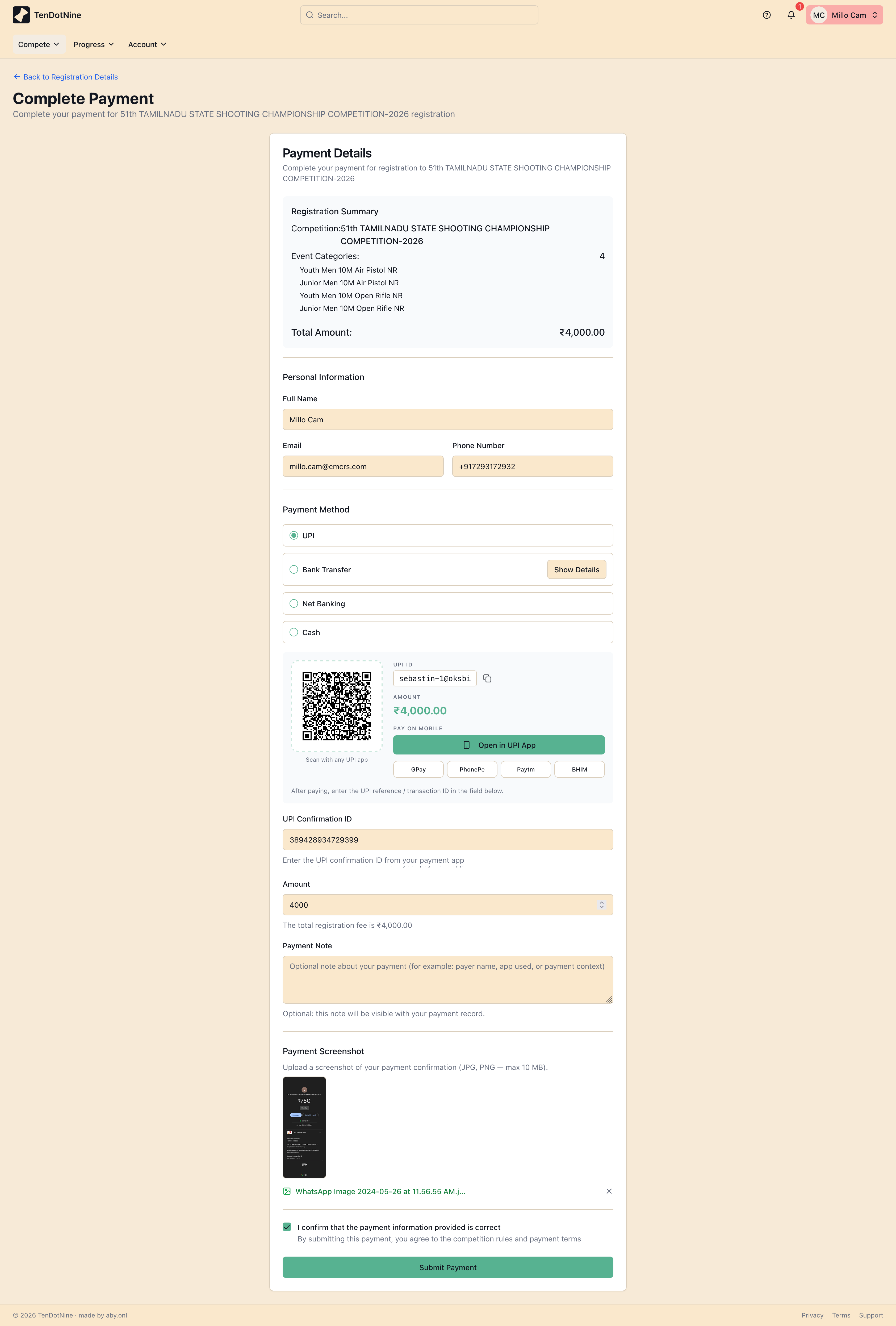
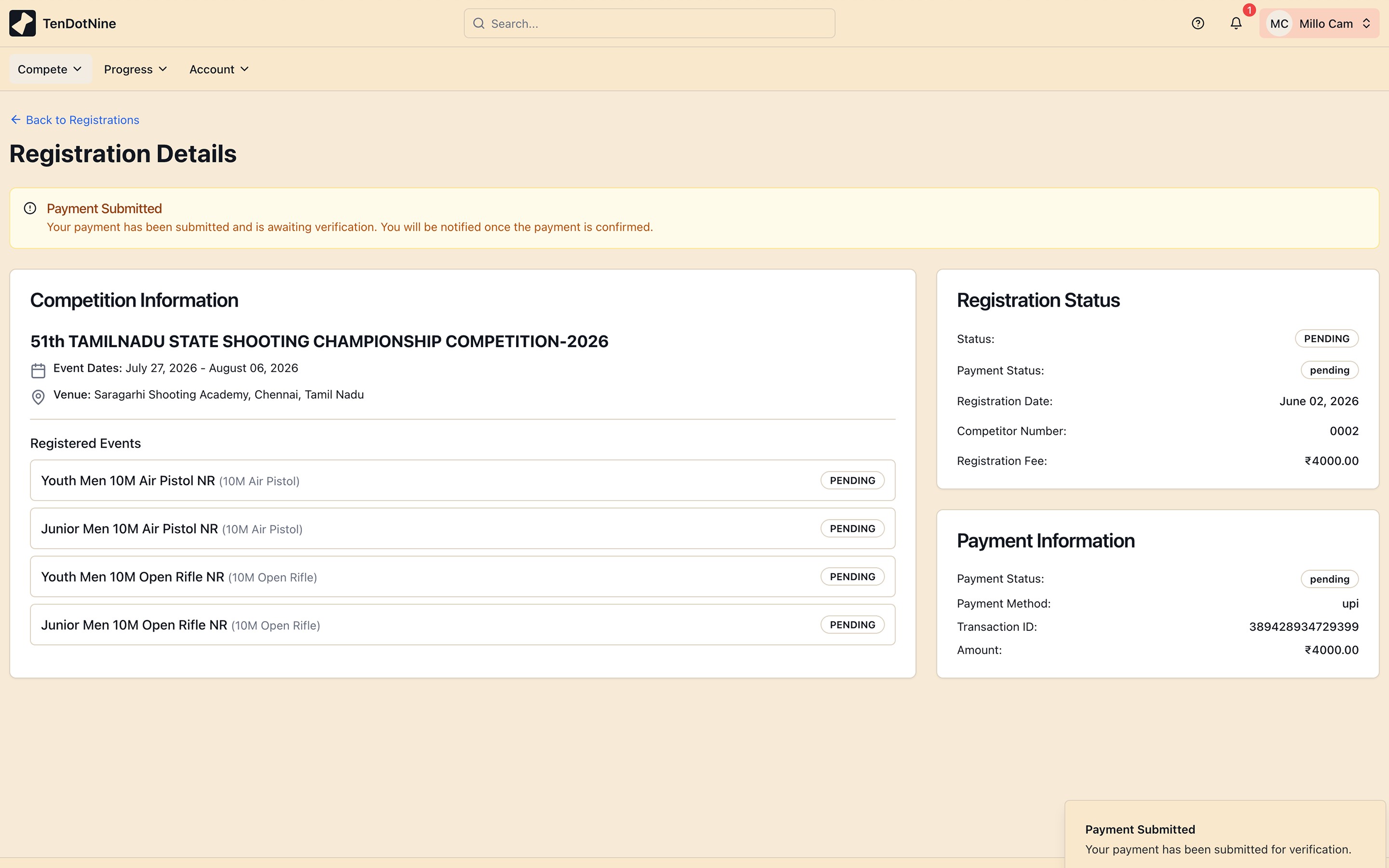
Tips
- Keep the transaction reference handy — entering it accurately speeds up verification.
Common issues
Was this page helpful?
Still need help?
Can't find what you're looking for? Our team is happy to help.